Web Ready: A Free WebP Image Tool Built for Designers & Developers

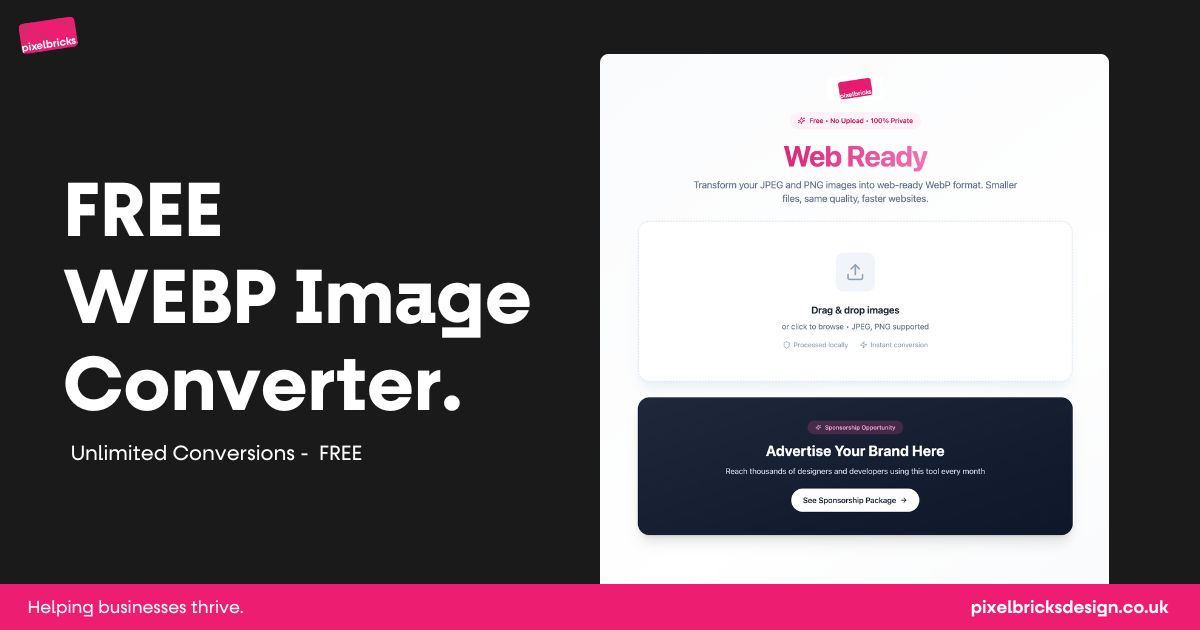
If you build websites for a living, you already know this pain.
You’ve got a folder full of JPEGs and PNGs.
They look great.
They’re also way too big.
You open your usual image optimisation tool. There’s a limit. Or a watermark. Or a file size cap. Or a paywall.
After running into this one too many times, I decided to build something better.... for myself first, and then for anyone else who needs it.
That tool is Web Ready.
Why I built Web Ready
Web Ready started as a personal utility.
I needed a fast way to:
- Convert images to WebP
- Keep the same visual quality
- Process images at scale
- Without uploading files to a server
- And without paying monthly fees just to do basic optimisation
Every WebP tool I tried was either:
- Limited
- Paid
- Slow
- Or unnecessarily complicated
So instead of working around those constraints, I built my own.
Then I realised:
If this saves me time every week, it’ll probably help other designers and developers too.
What Web Ready does
Web Ready is a free, no-limits image optimisation tool for the web.
You can:
- Drag and drop JPEG or PNG images
- Convert them instantly to WebP
- Reduce file sizes to under 200kb
- Keep the same perceived image quality
- Process everything locally in your browser
No sign-up.
No uploads.
No tracking.
No usage caps.
Just drop in your images and go.
Why WebP matters (and why this tool helps)
WebP isn’t new — but it’s still underused.
When implemented properly, it:
- Dramatically reduces file sizes
- Improves page speed
- Helps Core Web Vitals
- Makes sites feel faster without visual compromise
The problem isn’t WebP itself.
The problem is how annoying it can be to generate properly at scale.
Web Ready removes that friction.
Privacy-first by design
One thing that mattered to me from day one was privacy.
Web Ready:
- Processes images locally
- Doesn’t upload files to a server
- Doesn’t store anything
- Doesn’t log your images
If you’re working with client assets, sensitive imagery, or just value privacy... this matters.
Who Web Ready is for
This tool is built for:
- Web designers
- Developers
- Agencies
- Freelancers
- Anyone shipping websites regularly
If you care about performance, speed, and clean delivery, Web Ready should already be in your workflow.
Why it’s free (and staying that way)
Web Ready is free because it should be.
It solves a common problem.
It doesn’t need artificial limits.
And it shouldn’t require a subscription just to do the basics well.
There’s no plan to lock features behind a paywall.
If it helps people build better, faster websites — that’s the goal.
A small note on sponsorship
To help keep Web Ready running, there’s a single sponsorship placement on the page.
There’s no ad network.
No Google Ads.
Just one relevant sponsor at a time — always tools or services genuinely useful to designers and developers.
If you’re a brand in that space and want to support the tool, there’s more information on the sponsorship page.
Try it
If you want faster websites without the usual image optimisation hassle, give Web Ready a try.
Drop in your images.
Download them.
Move on with your day.
That’s exactly how it was designed to work.
Is Web Ready really free?
Yes. Web Ready is completely free to use with no limits, no sign-up, and no paywalls. You can convert as many images as you like.
Are there any file size or usage limits?
No. There are no daily limits, no upload caps, and no conversion restrictions. You can process single images or large batches without being blocked.
Do my images get uploaded to a server?
No. All image processing happens locally in your browser. Your images never leave your device.
What image formats are supported?
Web Ready currently supports JPEG and PNG images and converts them into WebP format.
Will the image quality be affected?
No noticeable quality loss. Web Ready reduces file size while maintaining the same perceived visual quality, making images suitable for live websites.
Why should I use WebP instead of JPEG or PNG?
WebP offers smaller file sizes, faster page loads, and better performance without compromising quality. It also helps improve Core Web Vitals.
Do I need to create an account to use Web Ready?
No account is required. Just open the tool, drop in your images, and download the WebP files.
Is Web Ready safe to use for client work?
Yes. Because images are processed locally and never uploaded, Web Ready is safe for client assets and sensitive files.
Who is Web Ready built for?
Web Ready is built for designers, developers, agencies, and freelancers who regularly prepare images for the web.
How does Web Ready stay free?
Web Ready is supported by a single, relevant sponsor placement on the page. There are no ads, trackers, or pop-ups.
Can I sponsor Web Ready?
Yes, but only one sponsor is shown at a time. If your product is genuinely useful to designers or developers, you can apply via the sponsorship page.
Will Web Ready always stay free?
That’s the intention. The goal is to keep Web Ready simple, useful, and accessible without introducing artificial limits or subscriptions.